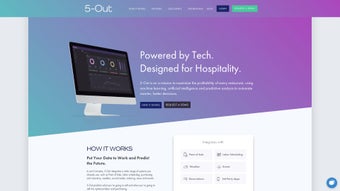

Download 5 Out – AI‑Powered Restaurant Forecasting Tool for Profitability
Overview: Transforming Restaurant Profitability with AI
In today’s hyper‑competitive hospitality landscape, data‑driven decision‑making is no longer a luxury—it’s a survival strategy. 5 Out steps into this arena as a sophisticated restaurant forecasting tool that blends artificial intelligence, predictive analytics, and real‑time insights to help operators maximize profit margins. Built specifically for the nuances of the food‑service industry, the platform integrates seamlessly with existing point‑of‑sale (POS) systems, labor scheduling software, and inventory management solutions. This eliminates the need for costly overhauls or lengthy onboarding processes, allowing restaurants of any size to start leveraging AI‑powered forecasts within hours rather than weeks.
What sets 5 Out apart is its ability to predict sales up to 21 days in advance with a high degree of accuracy. By analyzing historical sales data, seasonal trends, local events, and even weather patterns, the engine produces actionable recommendations that guide staffing levels, purchasing decisions, and promotional strategies. The tool’s “look‑back” reports provide a historical lens, letting owners track performance over time, identify recurring bottlenecks, and fine‑tune operational tactics. Moreover, the real‑time dashboard surfaces key metrics—such as projected labor costs versus anticipated revenue—so managers can react instantly to market shifts, reducing waste and boosting efficiency.
Security and data privacy are baked into the architecture. All data transfers are encrypted, and the platform complies with major standards like GDPR and CCPA, giving peace of mind to owners concerned about sensitive sales information. Whether you run a single‑location café or a multi‑unit restaurant chain, 5 Out’s modular design scales with your business, delivering the same level of insight without sacrificing performance. In short, 5 Out turns raw data into a strategic asset, turning guesswork into a science and helping you serve more guests profitably.
Features, Installation & Usage: Why 5 Out Stands Out and How to Get Started
The strength of 5 Out lies in its rich feature set, which is designed to address every pain point that restaurateurs encounter daily. Below is a concise yet comprehensive list of the capabilities that make this tool a game‑changer for both independent cafés and large franchise networks.
- 21‑Day Predictive Forecasting: Uses AI to project sales, labor, and inventory needs up to three weeks ahead, allowing proactive staffing and purchasing.
- Seamless POS Integration: Connects with major POS platforms (Toast, Square, Lightspeed) via secure APIs or simple CSV uploads, eliminating the need for costly system replacements.
- Labor Optimization Engine: Recommends staffing levels based on forecasted traffic, cutting overtime and reducing over‑staffing by up to 15%.
- Inventory & Purchasing Guidance: Suggests optimal order quantities to minimize spoilage, stockouts, and excess holding costs.
- Real‑Time Dashboard: Live visualizations of key KPIs, variance alerts, and drill‑down reports accessible from any modern web browser.
- Lookback Performance Reports: Historical trend analysis for month‑over‑month and year‑over‑year comparisons, helping you refine menu pricing and promotions.
- Event & Weather Sensitivity: Automatically adjusts forecasts for local events, holidays, and weather changes, keeping recommendations relevant.
- Secure Cloud Architecture: End‑to‑end encryption, GDPR‑compliant data handling, and regular security audits protect your business data.
- Scalable Multi‑Location Support: Manage forecasts for a single site or an entire franchise network from one unified console.
- Zero‑Onboarding Requirement: No software replacement needed; simply connect your existing systems and start receiving insights.
Step‑by‑Step Installation & First‑Use Workflow
Getting started with 5 Out is intentionally frictionless. First, sign up for a free trial on the official website. After verifying your email, you’ll receive a secure API key that serves as the bridge between your existing POS, labor scheduling, and inventory systems. The platform offers pre‑built connectors for the most popular solutions—simply select your POS from the dropdown, paste the API key, and click “Connect.” Within minutes, 5 Out begins pulling historical sales data, employee schedules, and purchase logs.
For restaurants that rely on custom or legacy systems, 5 Out provides a lightweight data‑upload portal where CSV files can be imported. The system validates the data, flags inconsistencies, and then incorporates it into the forecasting engine. After the initial data sync—usually completed within 30 minutes—the AI model trains on your unique patterns, after which the first set of 21‑day forecasts becomes available.
Because 5 Out is a cloud‑native SaaS solution, it works on any device with a modern web browser. Whether you run Windows 10/11, macOS Monterey or later, Chrome OS, iOS, or Android, the responsive dashboard adapts to your screen size. Native mobile apps are also available for iOS and Android, offering push notifications for critical alerts (e.g., unexpected labor spikes) while on the go. All processing happens in the cloud, so there’s no heavy client‑side installation, and updates are applied automatically without downtime.
Once installed, the daily routine is straightforward. Each morning, managers review the “Today’s Forecast” widget, which highlights expected guest count, projected sales, and recommended staffing levels. The system also flags any inventory items that may need replenishment based on projected usage. Throughout the day, the dashboard updates in real time, showing actual versus forecasted performance. If a sudden event (e.g., a local concert) spikes traffic, the AI recalculates and pushes a new staffing recommendation, which can be accepted with a single click.
For optimal results, keep your POS and scheduling data clean—accurate timestamps, proper menu categorization, and consistent employee IDs enable the AI to learn faster. Regularly reviewing the “Lookback Report” (available weekly) helps you understand how past forecasts performed, allowing you to fine‑tune menu pricing, promotional timing, and labor contracts. By embedding 5 Out into the routine decision‑making process, restaurants can shift from reactive firefighting to proactive profit optimization.
Pros
- Highly accurate forecasts that reduce labor costs by up to 15%.
- Quick implementation—most users are up and running within 24 hours.
- Actionable insights presented in an intuitive, non‑technical dashboard.
- Improves inventory turnover, cutting food waste and boosting margins.
- Scales effortlessly from single‑unit eateries to multi‑site chains.
Cons
- Requires a stable internet connection for real‑time data sync.
- Initial pricing may be higher for very small independent cafés.
- Advanced customization (e.g., custom KPI creation) is limited to higher‑tier plans.
FAQ – Your Most Common Questions About 5 Out
How does 5 Out generate its forecasts?
The platform uses machine‑learning algorithms that ingest historical sales, labor schedules, inventory logs, weather data, and local event calendars. By identifying patterns and correlations, the AI predicts future demand up to 21 days ahead, continuously refining its models as new data arrives. This multi‑source approach ensures forecasts reflect both long‑term trends and short‑term fluctuations.
Do I need to replace my current POS system?
No. 5 Out is designed to integrate with existing POS, labor, and inventory platforms via secure APIs or CSV uploads. This “plug‑and‑play” approach means you keep your current workflow while gaining AI‑driven insights, eliminating the cost and disruption of a full system replacement.
Is my data safe on the 5 Out cloud?
Yes. All data transmissions are encrypted with TLS 1.3, and data at rest is stored in encrypted databases that comply with GDPR, CCPA, and ISO‑27001 standards. Regular security audits, penetration testing, and continuous monitoring protect your information from unauthorized access.
Can 5 Out handle multiple restaurant locations?
Absolutely. The platform supports hierarchical account structures, allowing franchise owners or regional managers to view forecasts for each site individually or aggregate them for chain‑wide analysis. Permissions can be set per location, ensuring the right team members see the data they need.
What kind of support is available during onboarding?
5 Out offers 24/7 email support, a dedicated onboarding specialist for enterprise plans, and an extensive knowledge base with video tutorials. The initial setup is guided step‑by‑step, and the support team can assist with custom integrations, data validation, and best‑practice recommendations.
Conclusion – Boost Your Restaurant’s Bottom Line with 5 Out Today
If you’re serious about turning data into dollars, 5 Out delivers a compelling mix of accuracy, ease of use, and scalability. By providing up to three weeks of reliable sales forecasts, actionable labor recommendations, and inventory optimization, the tool empowers owners to cut waste, reduce overtime, and serve more guests profitably. The zero‑onboarding promise means you can start seeing value almost immediately, while the secure cloud architecture safeguards your sensitive business data.
Ready to experience a smarter, data‑driven restaurant? Download 5 Out now for a free 14‑day trial and see how AI can reshape your profit margins. Join the growing community of restaurateurs who have turned forecasting from a guesswork exercise into a competitive advantage.
Pros
- Accurate 21‑day forecasts
- Seamless integration with existing systems
- Real‑time alerts and actionable recommendations
- Scalable for multi‑location chains
- Robust security and compliance
Cons
- Requires reliable internet connectivity
- Higher price point for very small cafés
- Advanced customization limited to premium plans



.png)



